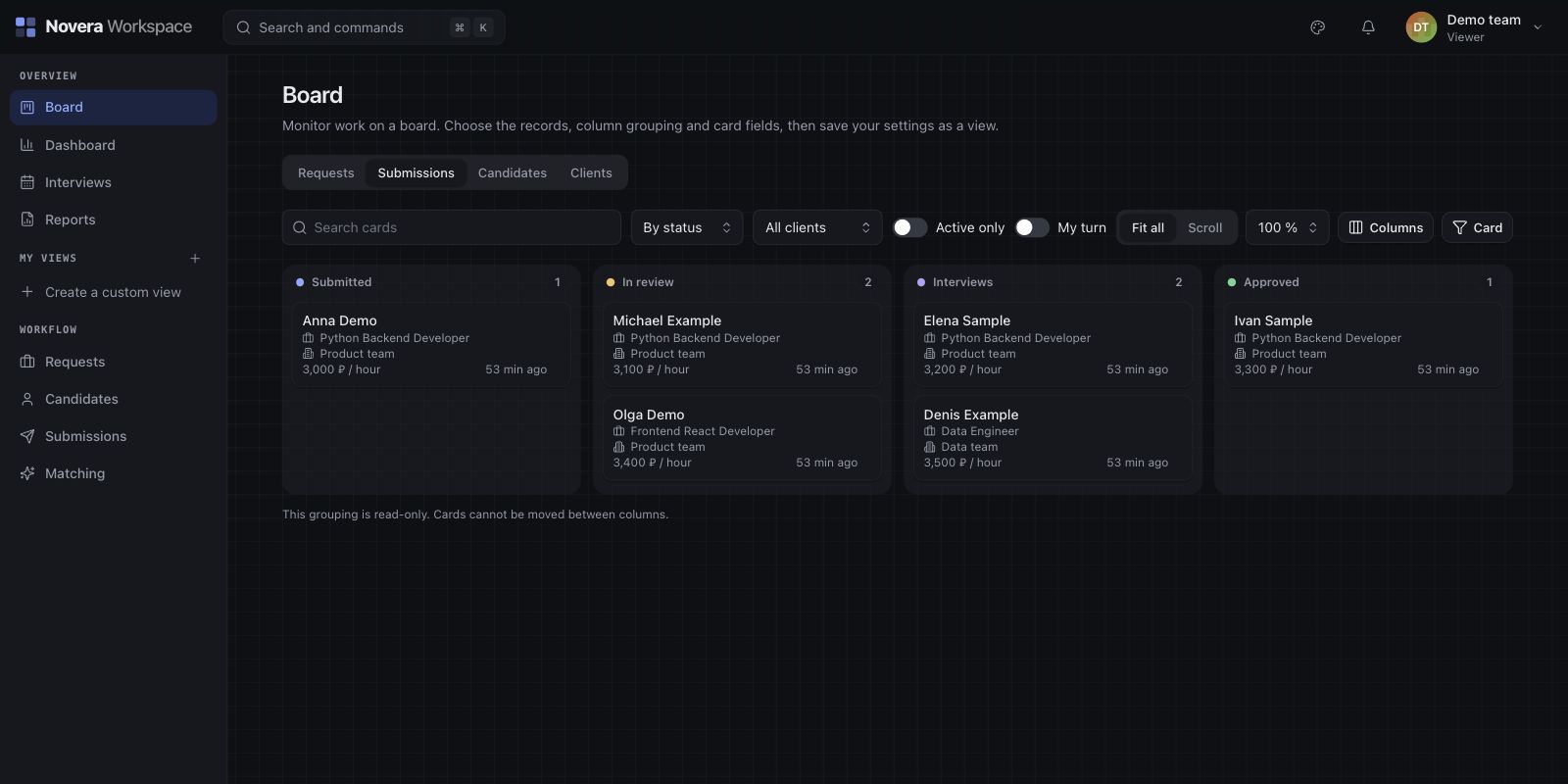
We build products around recurring challenges we encounter in client projects. That experience becomes tools that help teams organise their work and use their knowledge every day.
TalentFlow AI brings staffing requests, candidates, terms and interviews together. Your team can follow recruitment progress and make decisions with the full context.
Request
One shared hiring brief
Requirements and terms stay with the staffing request. There is no need to reconstruct the original brief from messages.
Selection
Compare candidates in context
Profiles, terms and selection stages stay together. The team can see which candidate is being considered for each role.
Decision
Keep the hiring process moving
Interview outcomes stay with the candidate profile. Anyone joining the process can see what has been discussed and decided.
Novera RAG helps employees find answers in company documents. A question about their work leads to a clear course of action backed by a specific source.
The delivery is missing two boxes. What to do?
Record the discrepancy
Record the quantity received in the delivery acceptance record and attach a photo.
Answer sourceDelivery acceptance · 4.2
“Record the discrepancy in the delivery acceptance record.”
For employees
Find the guidance you need
A question leads to the relevant passage in an instruction. Employees do not have to search every document or find a colleague who remembers the answer.
For the manager
Check the source behind the answer
The source appears alongside the recommendation. Employees can check the conditions before acting and see when a rule does not cover their situation.
For the team
Use company knowledge in daily work
New employees can find their way through procedures, while experienced colleagues spend less time answering the same questions.
On the product page, you can view features and choose what to show your team. Cost, access and support will be agreed upon in the proposal.
01
See the product in action
In the demo, we show the core features through a scenario that matters to your team.
02
Get a proposal for your team
We agree on the product configuration, number of users and hosting option, then set out the price and purchase terms.
03
Agree on access and setup
The proposal sets out access, configuration and support, so you can review the terms before purchasing.
Before purchasing
Which product should I choose?
TalentFlow AI connects staffing requests, candidates and recruitment stages. Novera RAG helps employees find answers in company documents. Start with the part of your work you want to improve.
Where can I find out the cost?
Choose a product and request a proposal. Tell us the number of users, what you need it for and your hosting requirements. The proposal will set out the price and what is included.
Can I view the product before purchasing?
Request a demo and tell us which scenario you want to see. You can assess how the product fits your work before agreeing on terms.
Can one product be used separately?
Select the product you need. We discuss any required integrations and what is included separately.
What does the proposal include?
The product configuration, terms of use, price, user access and support. Any integrations, data migration or specific hosting requirements are agreed separately.
How will the team gain access to the product?
The proposal sets out the hosting arrangement, users and setup process. Before you start, we agree on who manages access and how the team requests support.